NOTE & SEND
Make a card, keep it, send it
Cards, note cards and invitations, with an optional personal message on the back.
1. Personalize your design
Start with a pattern or a design starter. Starters keep your wording unless you choose to include their sample message. Front messages can contain up to 300 characters. Invitations include an event title and optional date, time, location, hosts, and RSVP details.
Browse Messages supplies starting points. Rewrite offers AI suggestions that you review and choose yourself. Applying a stationery style keeps your words and event details.
Add a personal message on the back
Under Personalize, scroll to Add a reverse side. Write up to 1,200 characters and an optional signature. Templates keep their selected font pairings. Designs made from scratch offer Google Fonts for the front and back, with text size and alignment controls.
Use Front and Back above the preview to review both faces. The current editable products are flat cards. Foldover cards have a separate presentation preview and are not yet available to order. Turning the reverse off keeps your wording in the editor but leaves it out of the displayed card and download.
Save for later, at any stage
Save for later keeps the card in your account, including paper, envelope, quantity and digital or printed preferences. Save changes updates it; Make another version lets you save a separate copy. Product prices are recalculated when you return. Saved includes favorites, collections, search, and multi-card organization.
Draft recovery keeps recent work in the current browser tab. It is not an account backup and may disappear when the tab closes or browser data is cleared. Use Save for work you want to keep across devices. Ctrl+S or Command+S saves from either editor.
Share a preview
After buying a digital download, download a PNG to attach to your message, or use your device's share menu when supported. A recipient link opens a separate snapshot of your card. Later edits do not change that shared copy.
Anyone holding a recipient link can view its card. Purchased download files remain available to the signed-in buyer; recipient links do not unlock paid downloads. Choose a 7-, 30-, or 90-day expiry. Turn links off in Account; this prevents future access through the link, but cannot remove files someone has already downloaded. Creating a link does not send a message. Direct email delivery is currently preview-only; copy the link into your own email or message to send it.
2. Choose your format, then 3. Review
Choose Printed cards or Digital download. Paper & quantity shows sizes, paper, envelopes and a live subtotal before you save. For digital designs, Size & download shows the size choice. Review keeps your preview visible so you can check both sides, spelling and text fit.
Prepare download creates a file; Save prepared file downloads it. PNG is for digital use. For two-sided cards, PNG shows the front and back side by side; card-size PDF puts the front on page one and the back on page two. US Letter and A4 print sheets are available for single-sided cards.
Invitations offer 5 × 7 and 5.5 × 8.5 inches. Flat note cards offer 5 × 7 and 4.25 × 5.5 inches. Both start at 5 × 7. Landscape designs use the same sizes turned horizontally. Earlier saved designs retain their original size until you change it. Print PDFs at 100% or Actual size, with Fit to page off. PNG and card-size PDF exports offer optional ⅛-inch bleed on each side by extending the edge colors. Crop marks are not included; US Letter and A4 print sheets do not include bleed. Check text fit and your printer's color and paper settings before printing a batch.
Continue to checkout saves your current design and carries the selected paper, quantity and envelopes into the delivery form. Quantities are 10, 25, 50, 75, 100, 150 and 200. Front-and-back printing of one repeated design, standard review and a digital proof are included. U.S. shipping is added based on quantity and payment is taken on the secure checkout page. Your design and choices are saved with the order. Note & Send follows up with production timing and any questions.
View print orders and recipient linksCommon questions
Where are my purchases and downloads?
Account shows printed orders and their status, plus Digital purchases & downloads. Choose Open card & download to prepare a PNG or PDF. You can also open Saved and choose Preview & download. Sign in with the account used to buy it. Digital orders have no shipping charge. Contact us before paying again if a confirmed purchase has not unlocked.
Can I change or cancel an order?
Contact hello@noteandsend.com promptly with your order reference. Changes depend on production status and must be confirmed. Editing a saved design does not update an existing print order. See changes, cancellations and order problems.
Do you ship internationally?
Select International in the delivery step to prepare an email inquiry. Send that email to request a shipping quote and timing before payment.
What am I allowed to do with a digital file?
Use your finished card for personal or business correspondence or an event, and print it with your chosen provider. Do not resell templates, artwork or design files. See the terms of use and sale.
Compare paper finishes
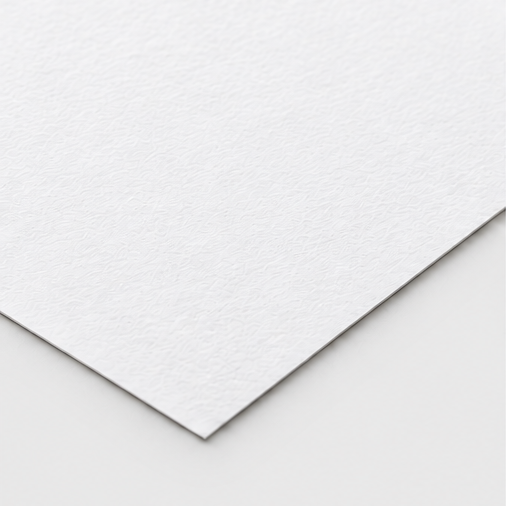
Eggshell white
120 lb cover
A fine, even tooth with a subtly textured surface.
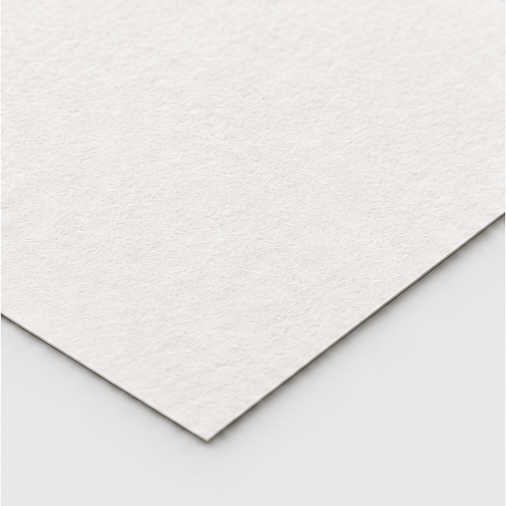
Cotton natural white
118 lb cover
A softer, more fibrous surface in natural white.
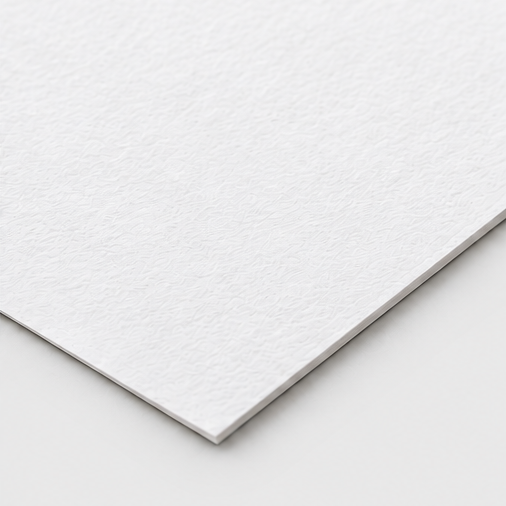
Double-thick eggshell
240 lb cover
The eggshell finish with a more substantial edge.
Illustrative previews, not photographs of supplier samples. Actual shade, texture and thickness may vary. Choose your paper in the print options.
Do invitations collect RSVPs?
You can include RSVP instructions on the invitation. Guest lists and automatic RSVP collection are not available yet.
Does printing place an order?
Yes. You see the full price, including shipping, before paying, and payment is taken at checkout. Your order keeps the exact design you reviewed, even if you edit the saved card later. Note & Send follows up with production timing and any questions. Older sizes require a separate quote.
How do backgrounds and palettes work together?
Your chosen artwork or pattern keeps its own colors. The compact colorway chooser offers four palettes and changes the paper wherever it is visible. Full-cover artwork may hide the paper color. Changing a palette keeps your current text color; choose a text swatch or custom color to change your words.
Can I preview a font before choosing it?
For a design made from scratch, open the Google Fonts picker in the message controls. Template fonts are part of the design. Search a font name or browse a category. Each option previews your words in that font. Choose it to see the full card, then check text fit. Fonts are also preserved in saved cards and shared snapshots.
What if a download fails or text does not fit?
Keep the editor open and wait for fonts and artwork to load, then prepare the file again. If text overflows, shorten the wording or choose a smaller size. After editing, prepare a fresh download. If your browser opens the file instead of downloading it, use its Save or Share menu.
Need help?
Tell us what felt easy, what was confusing, or what stopped you. For a problem, include the page name, device and browser, what you tried, and what happened. A screenshot is helpful; leave out private card content and recipient links.
Email supportOpens your email app. Nothing is sent until you send it.
Harding Paper
Harding Paper is our sister project for paper goods. Note & Send offers personalized digital downloads and printed cards. Matching paper-goods links appear when a design has an associated store product. The built-in pattern collection is available while the original artwork catalog is being prepared.
Explore Harding PaperFor print questions, email hello@noteandsend.com and include the order reference shown in Account.